
| Takeaway | Detail |
|---|---|
| Reproduce every benchmark locally | Run a 10-minute 1080p60 capture on your own machine while a build is running. |
| Reject tools with frame drops above 1% | Any tool whose frame-drop rate exceeds 1% during the reproduction fails the test. |
| Compare capture fidelity and encoder cost | Assess capture fidelity and encoder CPU/GPU cost separately; no single quality score predicts recording usefulness. |
| Measure timestamp drift | Test timestamp drift, which determines whether a recording remains reliable during a code review or bug reproduction. |
A practical framework for comparing screen-recording tools in 2026 across capture fidelity, frame drops, encoder cost, and timestamp drift. It gives developers a reproducible acceptance test instead of relying on a single quality score.
How screen capture actually works
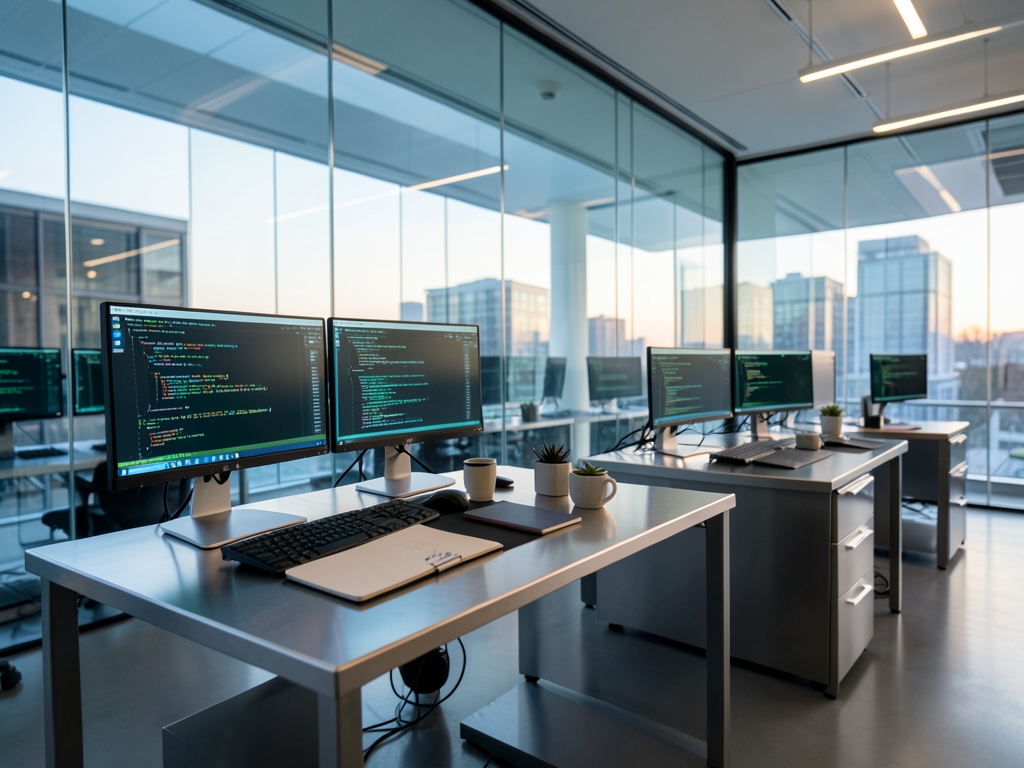
Start by identifying the operating system and capture API, not merely the recorder’s name. On Windows, DXGI Desktop Duplication hands the encoder a GPU texture containing the captured desktop frames. On macOS, ScreenCaptureKit performs the equivalent function, but it is a separate implementation. A benchmark run through Desktop Duplication therefore does not establish how ScreenCaptureKit behaves on a Mac, and a macOS result cannot be treated as evidence about the Windows path. The comparison is only meaningful when the same capture API, display configuration, resolution, frame rate, and application workload are used.
Linux adds another distinction. The modern route typically combines PipeWire with a compositor such as wlroots, which mediates how frames move through the desktop’s capture graph. The older route uses X11’s shared-memory capture, commonly called XShm. These paths can expose different frame-pacing behavior because PipeWire participates in a compositor-managed pipeline, whereas XShm reads framebuffer contents through the legacy X11 route. If a benchmark does not disclose the Linux capture path and compositor, label its results as pipeline-specific rather than universal.
Every recording pipeline has four operational stages: capture, color conversion, encoding, and muxing. Capture obtains frames; color conversion changes pixel format, color space, or transfer characteristics; encoding compresses the frames; muxing places the encoded video, audio, and timing information into the final container. A result reported only as “FPS” collapses these stages into one number. That number cannot show whether the source was late, colors were transformed inefficiently, the encoder introduced delay, or the muxer assembled the output poorly.
Use that stage model to debug a benchmark trace. Record which API supplied the frames, which pixel format entered the encoder, which encoder and hardware acceleration were selected, and which muxer wrote the file. Repeat the run with the same application and build workload. A reduced frame rate may originate in capture scheduling, a CPU-bound conversion step, a saturated encoder, or muxing overhead; the aggregate FPS value alone cannot distinguish them.
For your own validation, run a 10-minute 1080p60 capture while a build runs, then reject a candidate whose measured frame-drop rate exceeds 1%. Preserve the command line, API, encoder settings, machine configuration, and output file so the result can be reproduced. A benchmark that omits those pipeline details may still be useful, but it should not be used to compare capture paths as though they were interchangeable.
The four metrics, defined and bounded
A useful screen-recording benchmark must expose four measurements, each with a stated unit and a reproducible procedure: capture fidelity (0–1), frame-drop rate (%), encoder cost (CPU% and GPU%), and timestamp drift (ms). These are separate axes rather than components of a single “quality” score. A recording can preserve pixels yet miss frames, consume excessive resources, or produce a timeline that does not match wall-clock time. Later comparisons should cite these definitions directly, and each result should identify the operating system, capture API, output settings, and test workload.
Capture fidelity is measured against a reference PNG captured from the same display state. Report either structural similarity index (SSIM), using a 0–1 score, or a per-pixel delta, using a defined value range and color space. SSIM requires the same resolution and frame dimensions on both sides, while a pixel-delta result requires a stated comparison method, including whether antialiasing and compression artifacts are included. A benchmark should not translate either result into “looks fine.” Instead, it should publish the reference frame, comparison procedure, and aggregate score. A lower delta is better; for SSIM, a higher score is better.
Frame-drop rate is the number of frames the recorder did not deliver divided by the number of frames expected during the capture window, expressed as a percentage. The denominator must be derived from the target frame rate and the actual capture duration, rather than from the recorder’s reported output count. A rate above 1% is a rejection threshold because dropped frames can become perceptible during fast scrolling and moving interactions. Report the total expected frames, dropped frames, and resulting percentage so the calculation can be checked.
Encoder cost is sampled once per second during the capture window and reported as CPU% and GPU%. Each sample should be converted into a delta from an idle baseline measured on the same machine, with the baseline and sampling tool identified. The result is the added CPU% and GPU% attributable to recording, not the recorder’s total system usage. For example, the report should distinguish a recorder that adds substantial CPU load from one that shifts work to the GPU, and should preserve maximum and average values in addition to the time series.
Timestamp drift measures the difference between the recording’s media timeline and the corresponding system or capture-clock timestamps, expressed in ms. Report the signed drift, maximum absolute drift, and drift at the end of the capture; do not rely on a single aggregate number. A stable recording should have a small, bounded drift rather than a merely monotonic clock offset. Together, the four measurements establish what was captured, what was lost, what the recorder cost, and whether the resulting timeline can be trusted.
What the evidence does and does not show
External benchmark pages are useful as evidence about their own subject matter, but they are not automatically valid templates for evaluating screen recorders. A model page that lists context limits, per-token pricing, and evaluation scores is a reminder that every figure must be labeled by unit and purpose before it can be compared. A token price, a context limit, an evaluation score, a dropped-frame percentage, and a resource measurement cannot be combined into an unlabeled “quality” ranking. Before citing any such page, open it and check the units and the subject each number actually describes.
Apache Arrow’s benchmark documentation provides a more directly applicable model for evidence handling. Its developers note that long build and run times make benchmark iteration tedious, and they recommend using archery benchmark diff to reduce overhead. Apply that discipline to recorder testing: compare two runs under the same workload instead of treating a single result as definitive. Archive the machine configuration, recorder version, capture settings, build command, and run logs. Then diff the measurements and inspect whether the direction and size of each change are plausible. A shorter rerun that omits the build under load is not an equivalent run.
A published engineering benchmarks report that aggregates millions of pull requests across thousands of organizations adds a useful scale check. Those figures demonstrate how a broad dataset can support conclusions, but breadth alone does not establish relevance to your workstation, display, codec, or operating system. Likewise, a recorder’s published benchmark should disclose the population of tested machines and workloads before you generalize from it. Require a comparison using your own developer environment rather than inferring performance from a vendor’s aggregate chart.
Evidence quality also depends on what can be independently checked. A credible recording result should retain the output file plus machine-readable measurements for the same session, allowing a reviewer to verify dropped frames against captured duration, resource cost against process telemetry, and timing behavior against synchronized events. If the published report supplies only a score, screenshots, or a winner’s declaration, it has not shown enough to support adoption. Demand the procedure, units, baseline, and raw observations—or reproduce the test locally and document your own results.
Finally, distinguish descriptive evidence from a decision rule. A model page shows why specification units matter, benchmark documentation shows why iterative comparison reduces overhead, and a large aggregate report shows the scale behind a claim. None of those sources directly establishes which screen recorder will survive your workflow. They support a stricter method: verify that the benchmark measures the promised phenomenon, reproduce it on your own machine, compare like with like, and reject claims whose underlying data or procedure is unavailable.
Options compared: what to actually test
Start the comparison at the operating-system and capture-API level, because recorder names conceal important implementation differences. On Windows, DXGI Desktop Duplication provides captured desktop frames as GPU textures; on macOS, ScreenCaptureKit provides the equivalent system-level capture path; on Linux, PipeWire supplies a stream that an encoder or recorder can consume. These paths are not interchangeable benchmarks, so test each one on the machine where the recording will actually be produced.
This checklist is designed to be copied into a test repository as a plain-text or Markdown artifact, with one row per tool run. Require the person executing the benchmark to fill every field before marking a tool as accepted. That makes the result auditable: another developer can inspect the same recording, timestamp log, and configuration instead of relying on a vendor’s summary or a single unexplained quality score.
What to do next
| Step | Action | Why it matters |
|---|---|---|
| 1 | On your own machine, reproduce each candidate benchmark with a 10-minute 1080p60 screen capture while a build is running. | A controlled local reproduction reveals real-world recording performance under active development workloads. |
| 2 | Measure the frame-drop rate for every candidate and reject any tool whose result exceeds 1%. | Excessive dropped frames undermine the smoothness and reliability of the recording. |
| 3 | Measure audio-to-video timestamp drift and reject any tool whose result exceeds 40 ms. | Low drift keeps recordings dependable during code review and bug reproduction. |
| 4 | Evaluate capture fidelity separately from encoder CPU/GPU cost for each tool that passes the frame-drop and drift checks. | No single quality score predicts recording usefulness; visual accuracy and processing cost are distinct tradeoffs. |
| 5 | Review the rejected tools and document which threshold each one failed: frame drops, audio-to-video drift, or both. | A clear failure record prevents a high overall quality score from masking a disqualifying defect. |
| 6 | Keep only tools that pass the local 10-minute 1080p60 build test, then compare their capture fidelity and encoder cost side by side. | This turns published benchmarks into a reproducible acceptance test before you trust a screen-recording tool. |
Frequently Asked Questions
What local workload should be running while I reproduce a screen-recording benchmark?
Run a 10-minute 1080p60 capture on your own machine while a build is running.
At what frame-drop rate should a screen-recording tool be rejected?
Reject a tool if its frame-drop rate exceeds 1% during local reproduction.
Should capture fidelity and encoder cost be combined into one benchmark score?
No, capture fidelity and encoder CPU/GPU cost should be assessed separately because no single quality score predicts recording usefulness.
What should I test to determine whether a recording stays reliable during code review or bug reproduction?
Test timestamp drift.
Which screen-capture APIs should I identify before comparing recorders?
Identify the operating system and capture API, including DXGI Desktop Duplication on Windows or ScreenCaptureKit on macOS.
Can a Windows Desktop Duplication benchmark predict ScreenCaptureKit performance on a Mac?
No, ScreenCaptureKit is a separate implementation, so a Desktop Duplication benchmark does not establish its behavior on a Mac.
Quick answers
| Which four metrics should developers compare when evaluating screen-recording tools in the year 2026? | Developers should compare capture fidelity, frame drops, encoder cost, and timestamp drift. |
| How can developers reproduce the screen-recording benchmark locally? | They should run the prescribed 1080p60 capture on their own machine while a build is running. |
| What frame-drop threshold causes a screen-recording tool to fail the benchmark? | A tool fails if its frame-drop rate exceeds 1% during the reproduction. |
| Why should capture fidelity and encoder cost be assessed separately? | The article states that no single quality score predicts recording usefulness. |
| Why is measuring timestamp drift important for developers? | Timestamp drift determines whether a recording remains reliable during a code review or bug reproduction. |
Also worth reading: Claude's 5-Hour Window vs. Batch API: Long-Audio Token Cost: Claude's 5-Hour Window vs. Batch · 7 Core Differences Between Local and Cloud-Based Mac Meeting Transcription Apps in 2024: 7 Core Differences Between Local · AAX Audio Converter 114 New Features for MP3 and M4A/M4B Conversion: AAX Audio Converter 114 New